
AI Toolkit for Daily Tasks
Powerful AI, right inside Google Sheets
Powerful AI Formulas
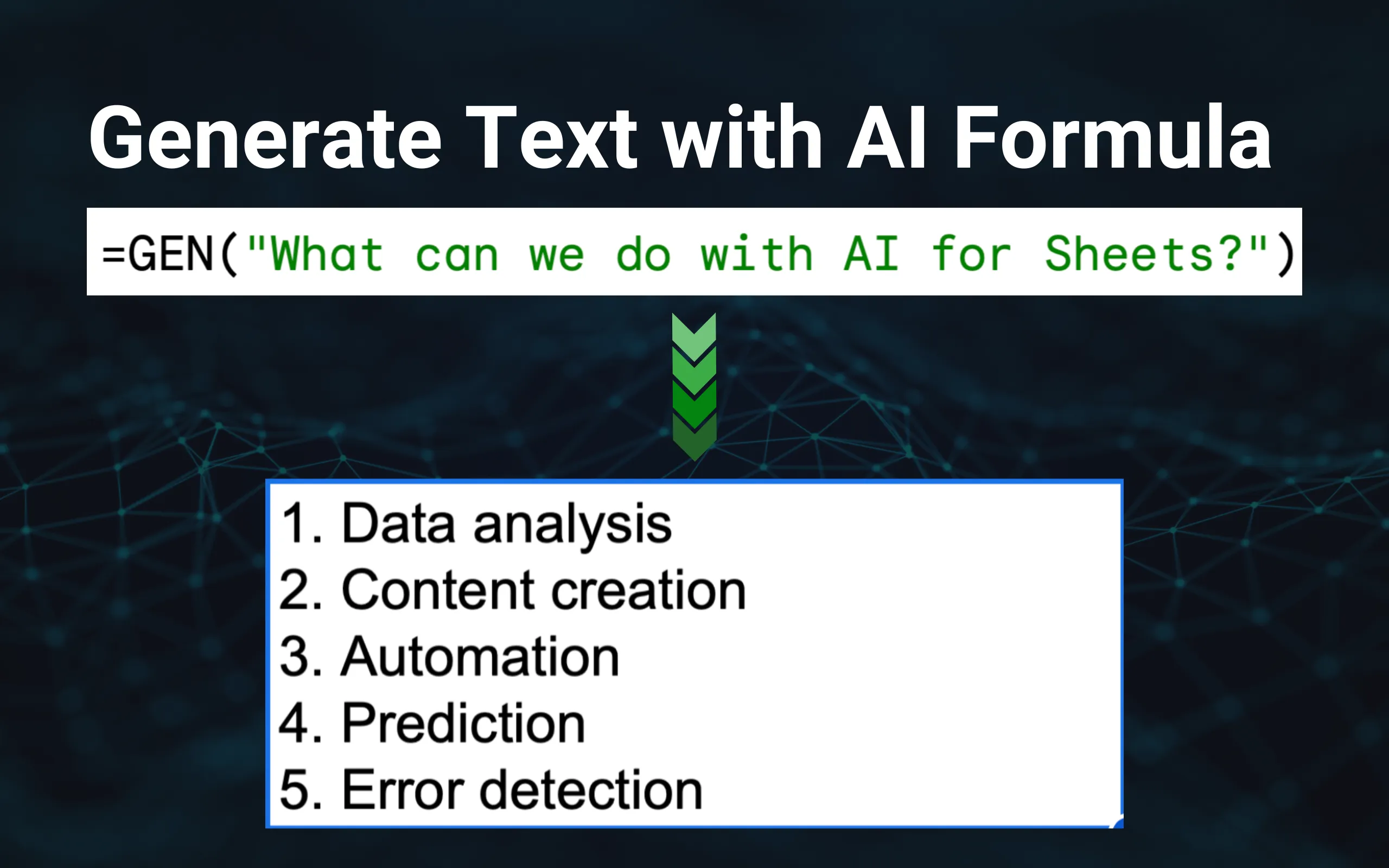
Use 13 AI formulas including =GEN(), =VISION(), =IMAGEN(), =AISEARCH(), =PDF() and =TRANSLATE().
Web Search Answers
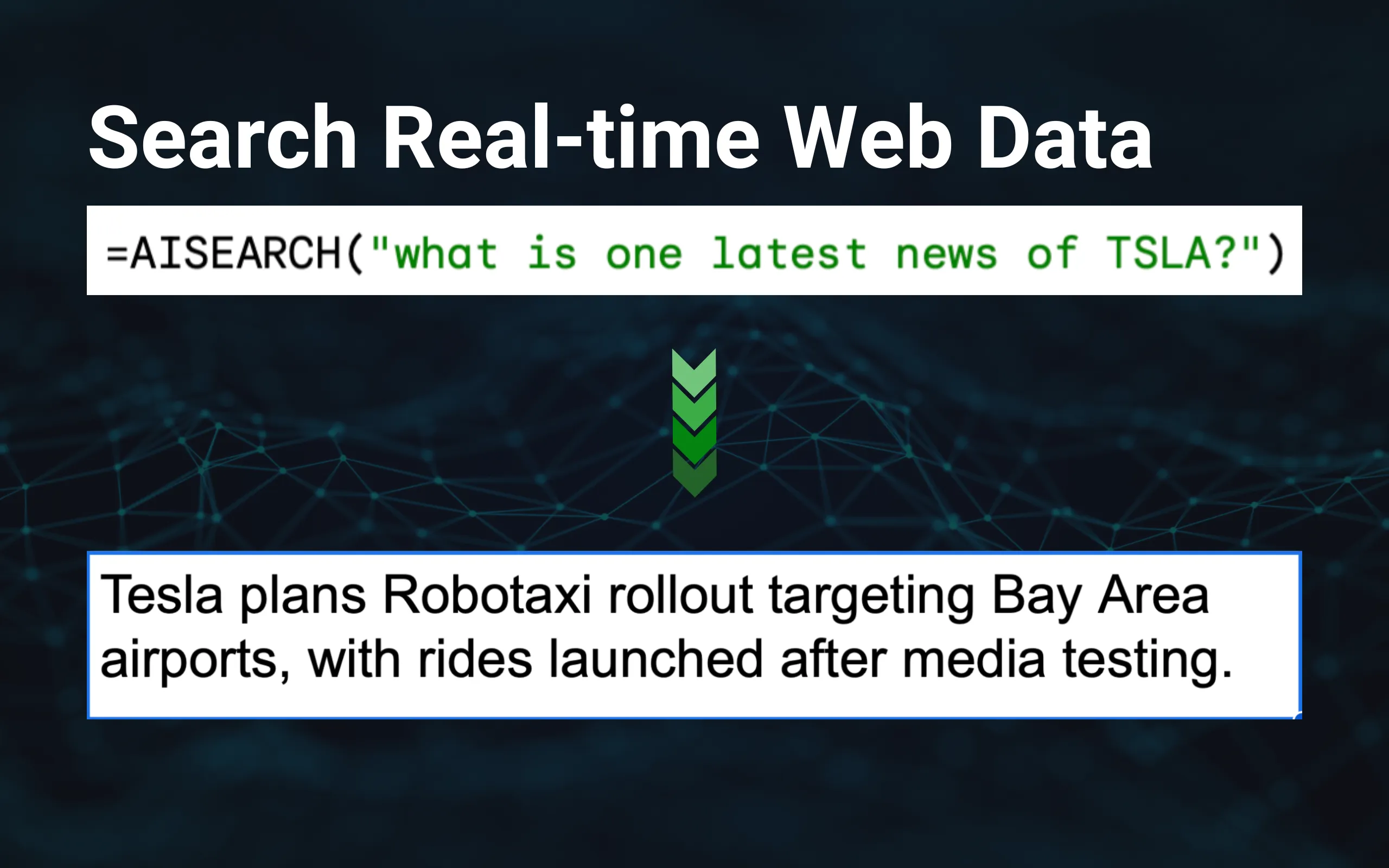
Run real-time search with =AISEARCH() and bring fresh facts into your spreadsheet.
Vision & Image
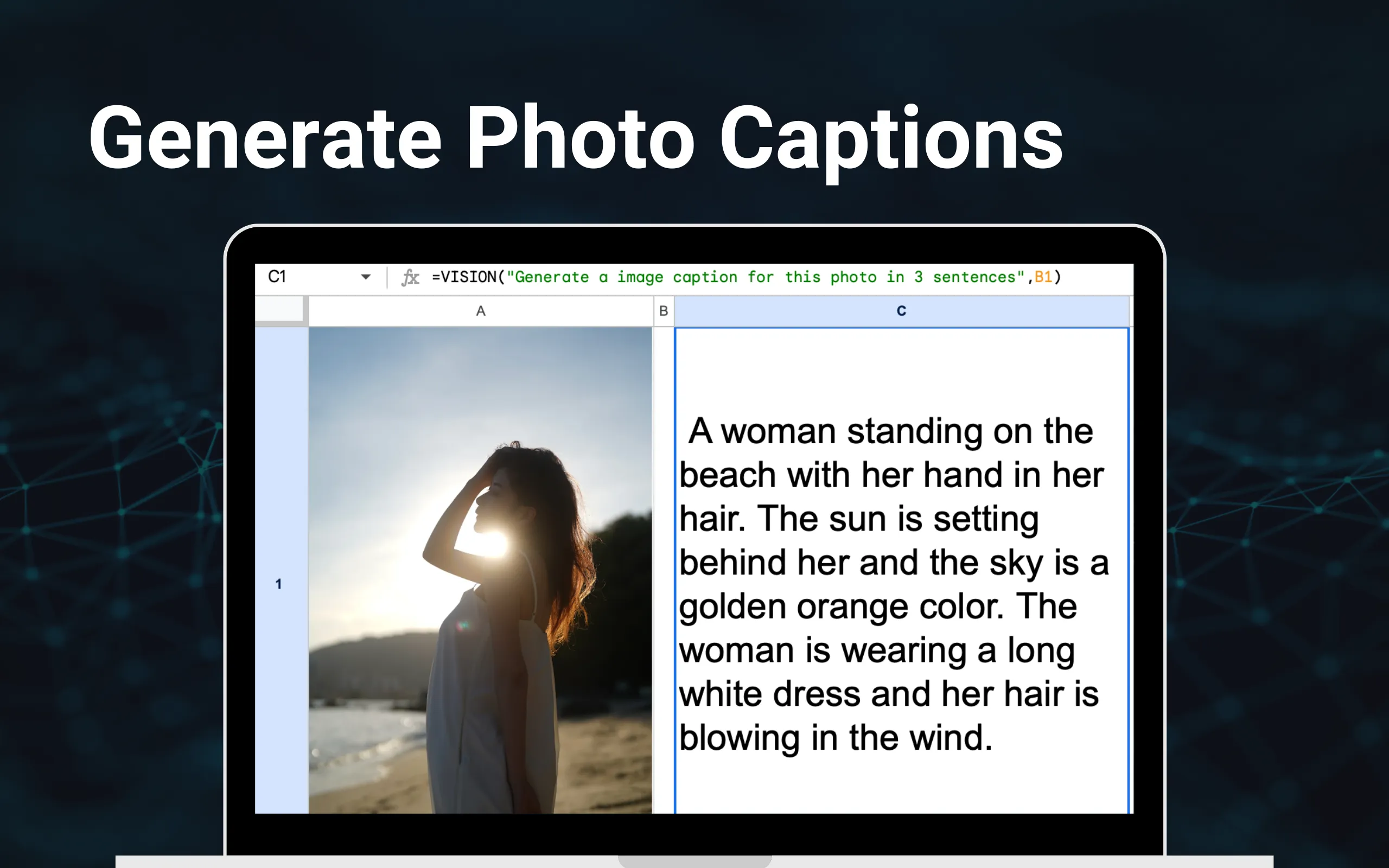
Analyze images with =VISION(), extract text from PDFs with =PDF(), and generate images with =IMAGEN().
Productivity Powerhouse
Automate the boring stuff. Save hours every week.
Ask AI to do anything
- ✓ Bulk writing on different topics at once
- ✓ Ask questions on your data to get insights
- ✓ Do text classification in bulk
Generate Photo Captions
- ✓ Use AI Vision to describe photos
- ✓ Extract text from images and PDFs
- ✓ Tag photos with ease
Search Real-time Information
- ✓ Do real-time Google Search to research
- ✓ Answer based on facts
- ✓ Back your writing with the latest info
Personalized AI Assistant
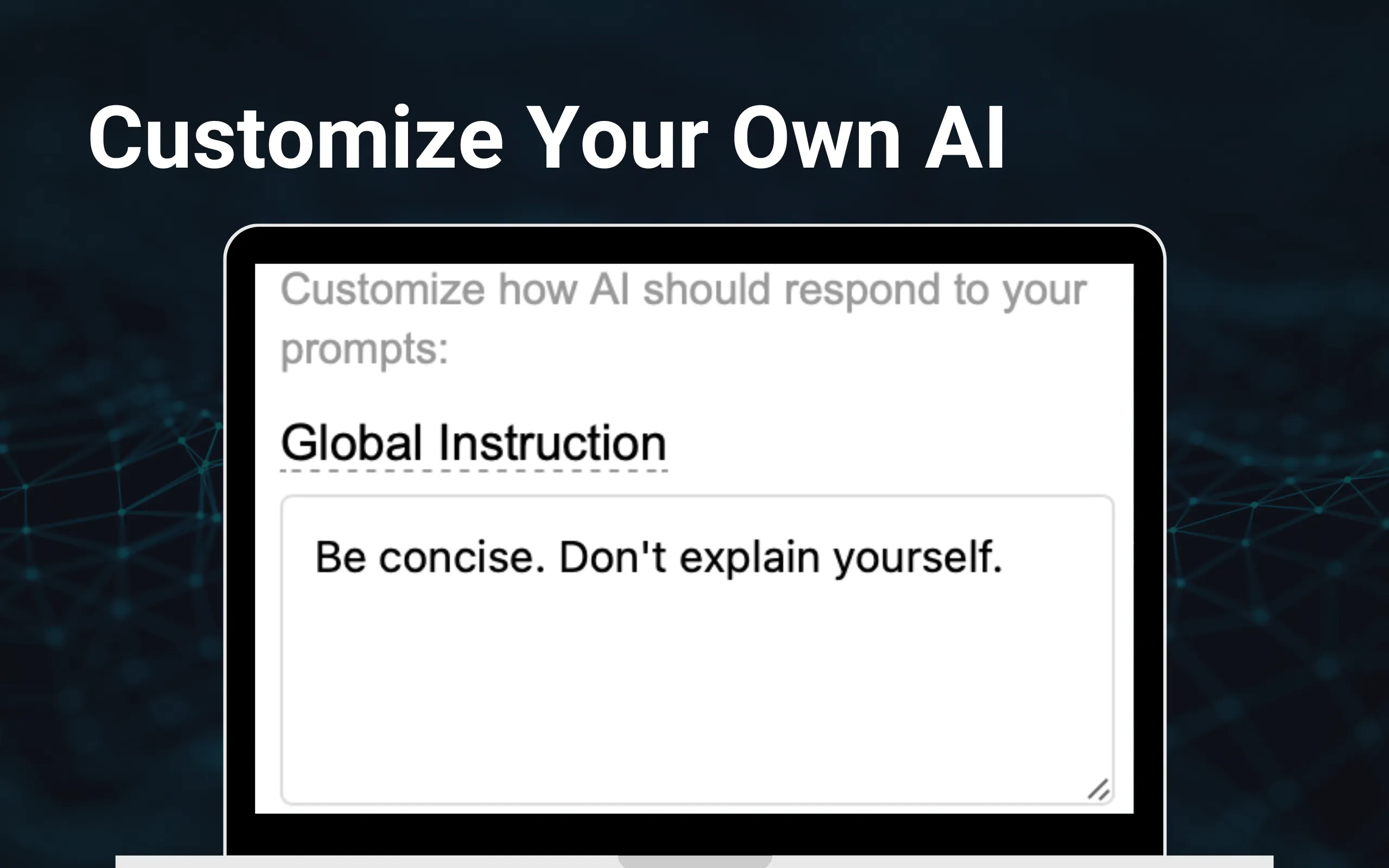
- ✓ Customize response style with Custom Instruction
- ✓ Tune creativity level to vary replies
- ✓ Choose Smarter or Faster model
More Ways to Use AI
Photos on one side, clear benefits on the other
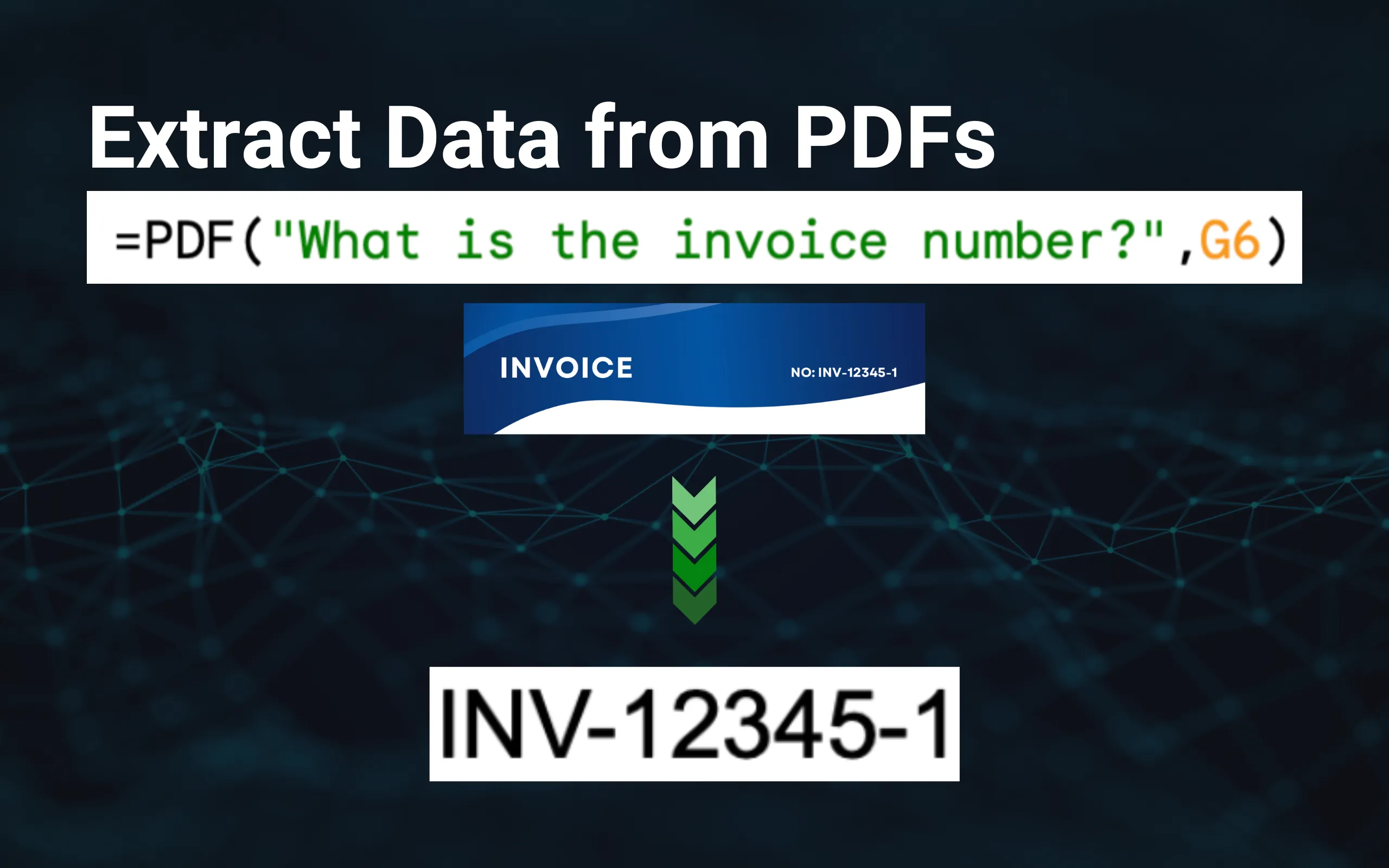
Extract Data from PDFs
- ✓Pull text, numbers, and tables
- ✓Ask questions about invoices, reports
- ✓Process many links in bulk
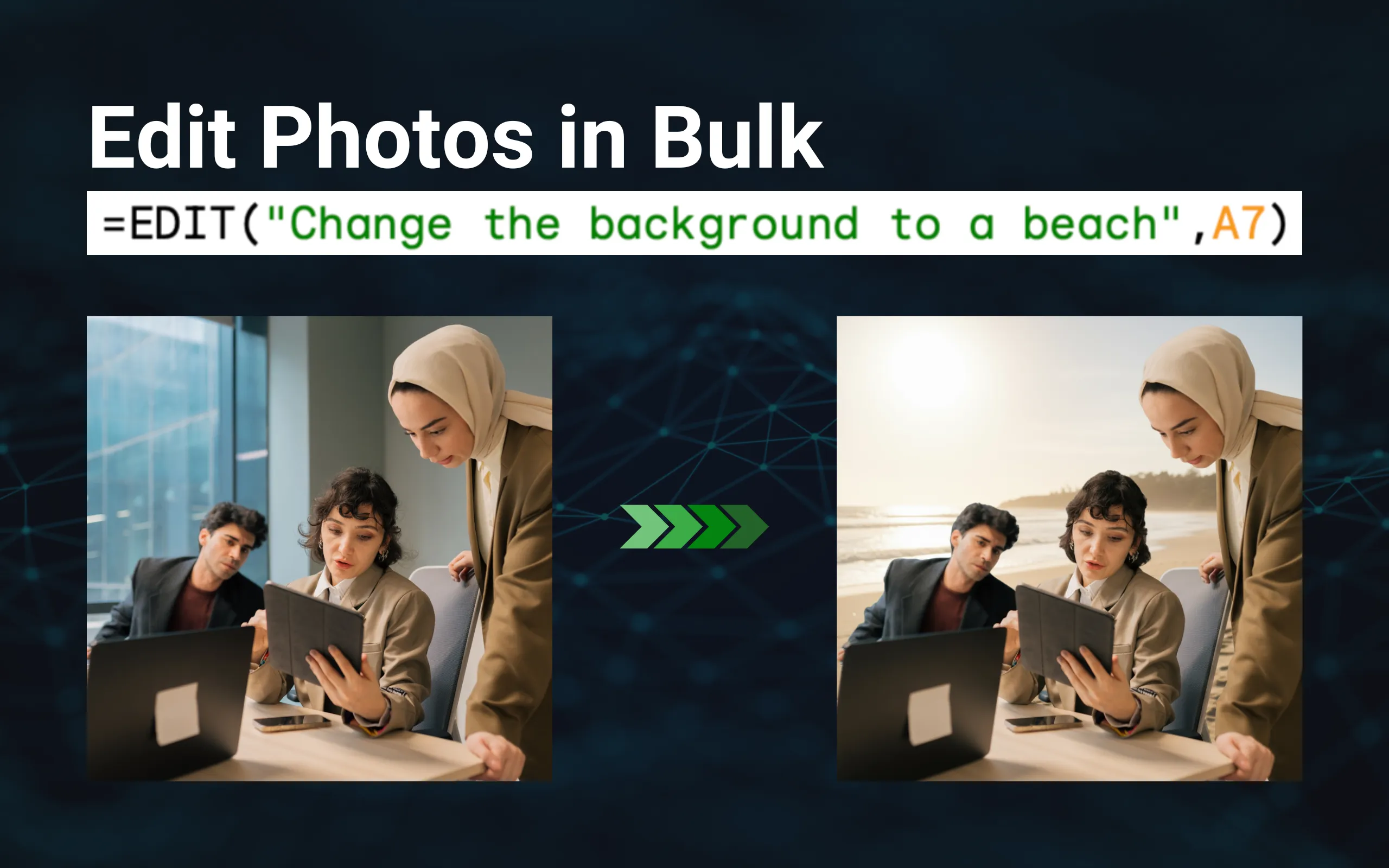
Edit Photos in Bulk
- ✓Change backgrounds, enhance, or resize
- ✓Apply one instruction to hundreds
- ✓Works with Google Drive links
Ask Questions About Your Data
- ✓Understand trends with plain‑English prompts
- ✓Get summaries, lists, and quick insights
- ✓No formulas needed in Ask mode

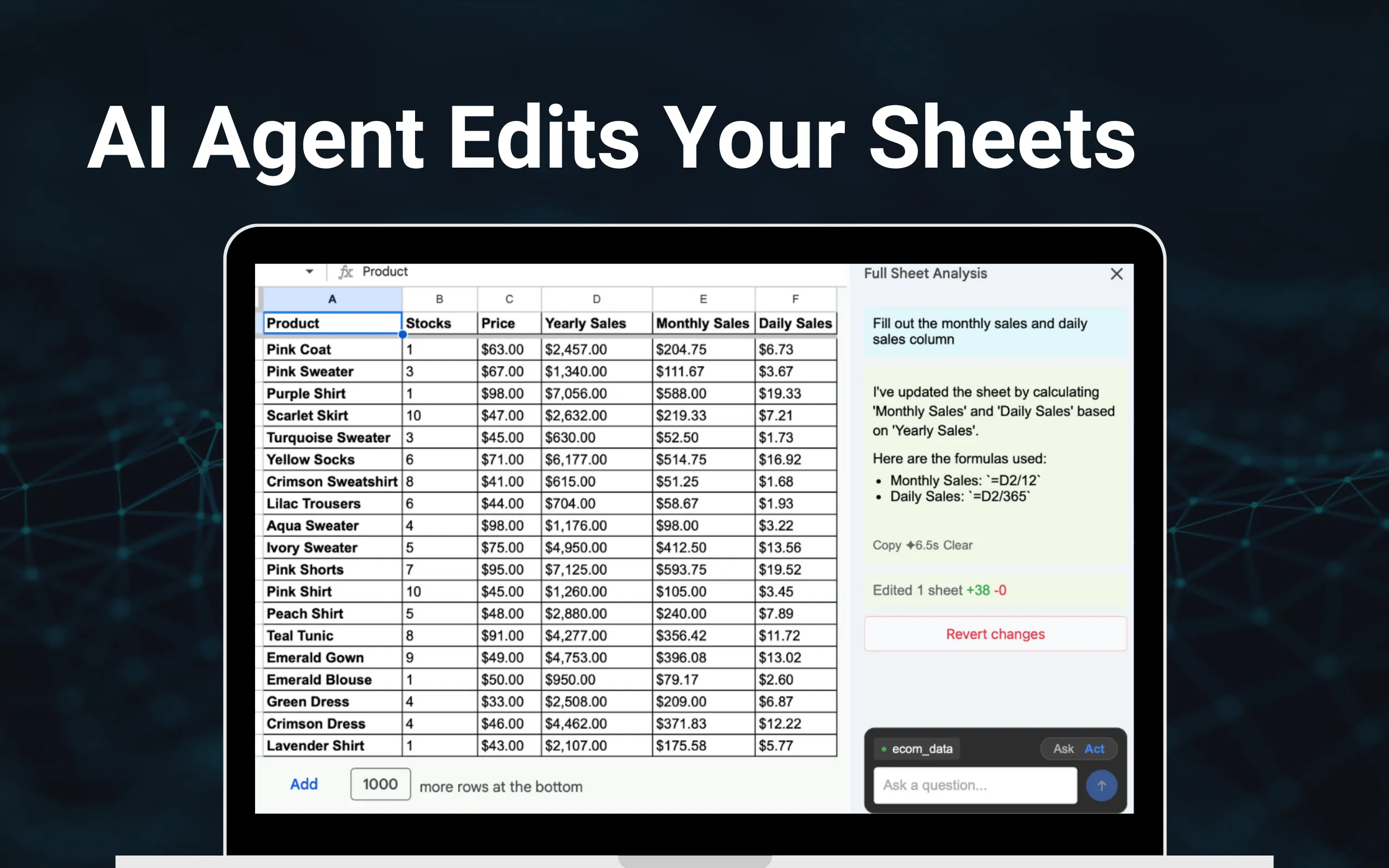
AI Agent Edits Your Sheets
- ✓Switch to Act mode to apply changes
- ✓See edit counts and revert anytime
- ✓Great for repetitive updates
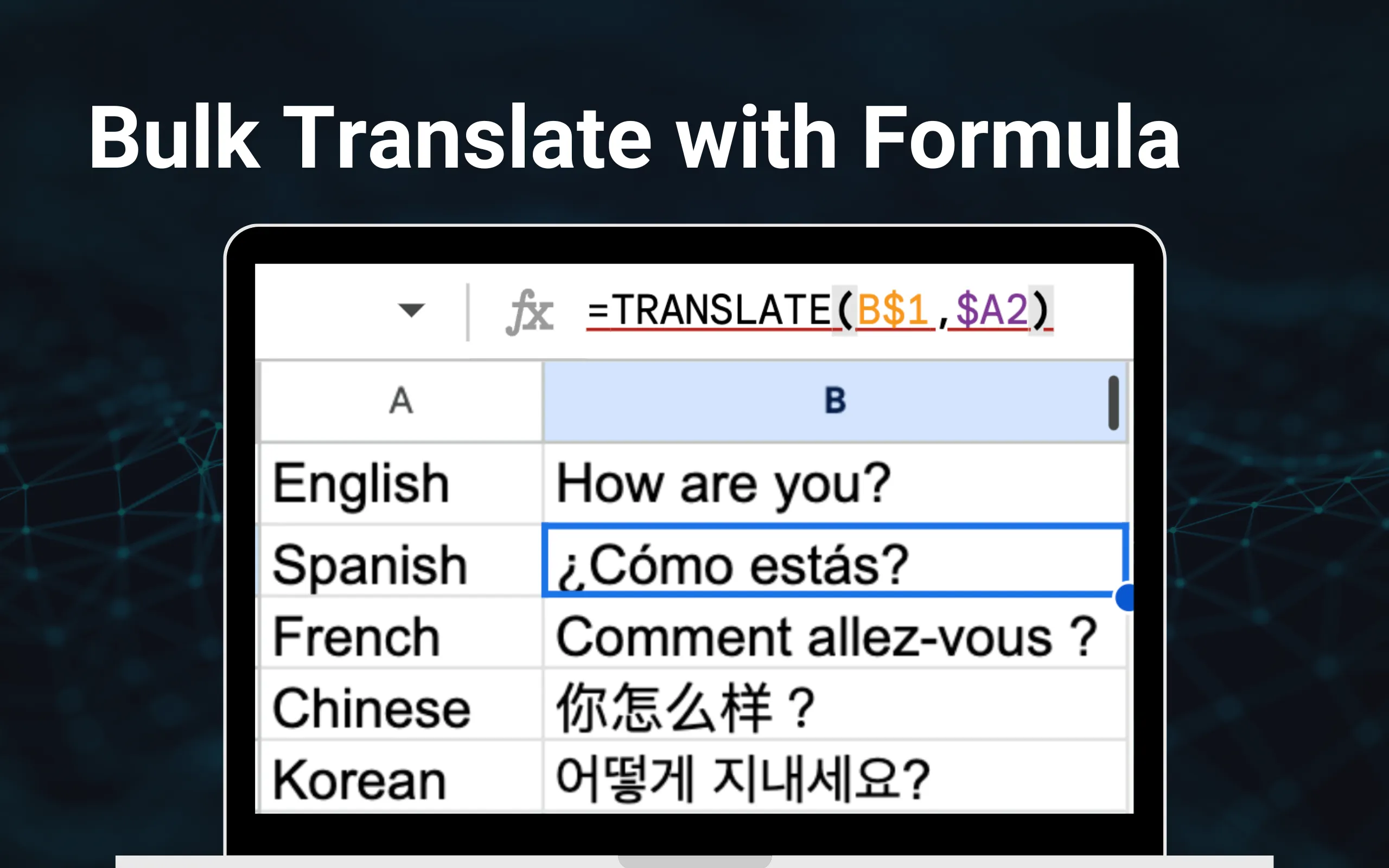
Bulk Translate with a Formula
- ✓Translate many rows at once
- ✓Keep your spreadsheet structure intact
- ✓Supports dozens of languages
What Our Users Say
Join millions using AI for Sheets to work smarter
"AMAZING! It makes my work faster and also has some features that are very easy to use"

"This is app I need, very easy to use and help my works. Thank you."

"Excellent add-on in this new AI race"
"It is an impressive tool that brings artificial intelligence into our daily lives with ease and effectiveness. From offering insightful answers to assisting with tasks, it has proven to be a versatile app for both personal and professional use."

"This appears to be a huge time saver, new to using it but seems to have vast potential."

"Actually works for difficult tasks. It's easy to query, and a fantastic extension. High recommend!"

"Really helpful in lesson planning! Recommended for educators!"

"Love the app, super simple to use. Seamless integration with gemini. Easy to use and vast array of functions available. Worth every penny"

"Nice insights. I analysed my dataset and the Analysis for accurate. Build forecast of dataset and it should be an excellent tool for Google sheet"

Frequently Asked Questions
Is there a free tier available?
Yes, we offer a free tier that allows up to 50 usages per month. This tier is perfect for individuals or small teams starting out with our product.
Is an API key required to use the product?
No API key is required to use our product. Simply use =GEN() in Google Sheets to access the features.
Will my data be used by Google for training purposes?
Your data will NOT be used by Google for training or any other purposes.