
1) Sheet ownership mismatch
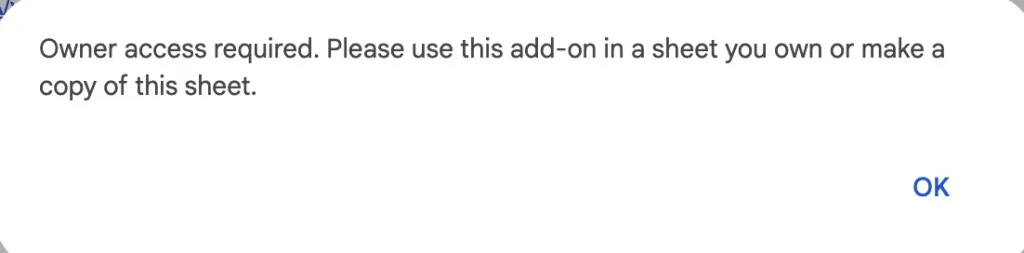
Problem: The email that owns the Google Sheet does not match the email used for your AI for Sheets subscription.
Solution: Click File > Make a copy to create a copy under your subscribed account, then click Refresh in the Upgrade Account sidebar.
2) Multiple Google accounts logged in
Problem: Being signed into multiple Google accounts can confuse the add-on, causing it to not recognize your subscription.
Solution:
- Sign out of all Google accounts.
- Sign back in using only the email you used for your subscription.
- Click Refresh in the Upgrade Account sidebar.
3) Organization admin restrictions
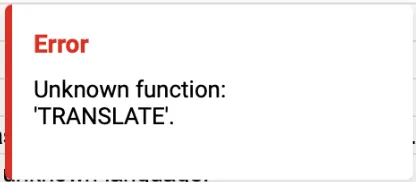
Problem: If your Google Workspace Admin has disabled Marketplace add-ons, AI for Sheets formulas may show errors like Unknown function.
Solution:
- If you are the admin, enable Marketplace apps in the Google Admin Console: Google Admin Console – Manage Marketplace Apps .
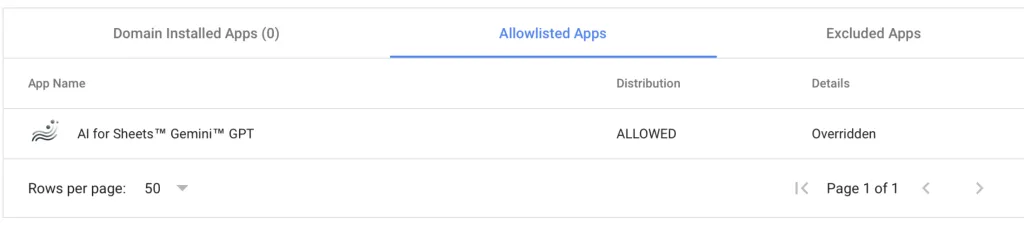
- Alternatively, switch your subscription to a personal Gmail account where there are no such restrictions. Email support@simplemetrics.xyz and we can help you switch.
Still stuck?
Email support@simplemetrics.xyz and include a screenshot of the error plus the email you used to subscribe.