
Step 1: Install from Google Workspace Marketplace
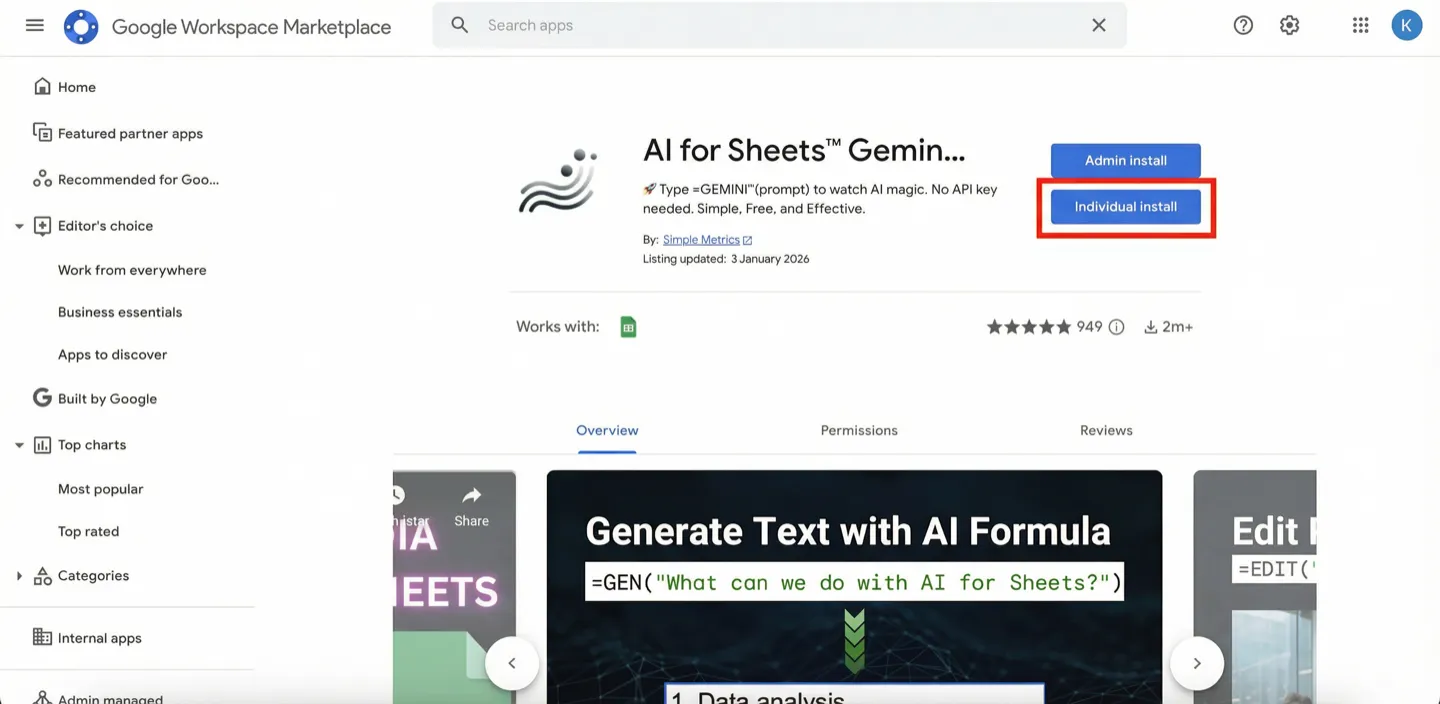
Open the marketplace listing and click Individual install: AI for Sheets .
Step 2: Choose your Google account
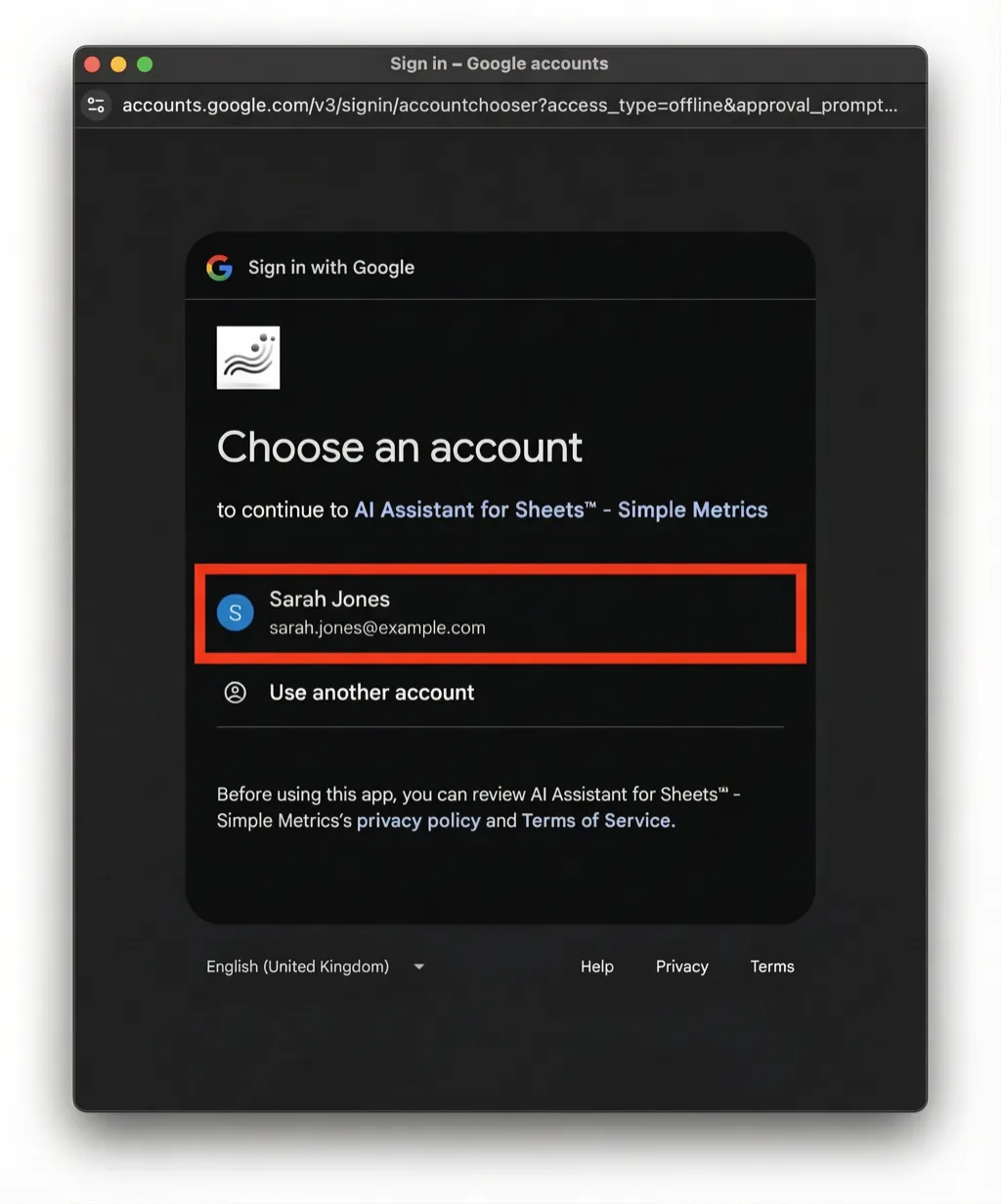
Select the Google account you use with Google Sheets.
Step 3: Click Continue
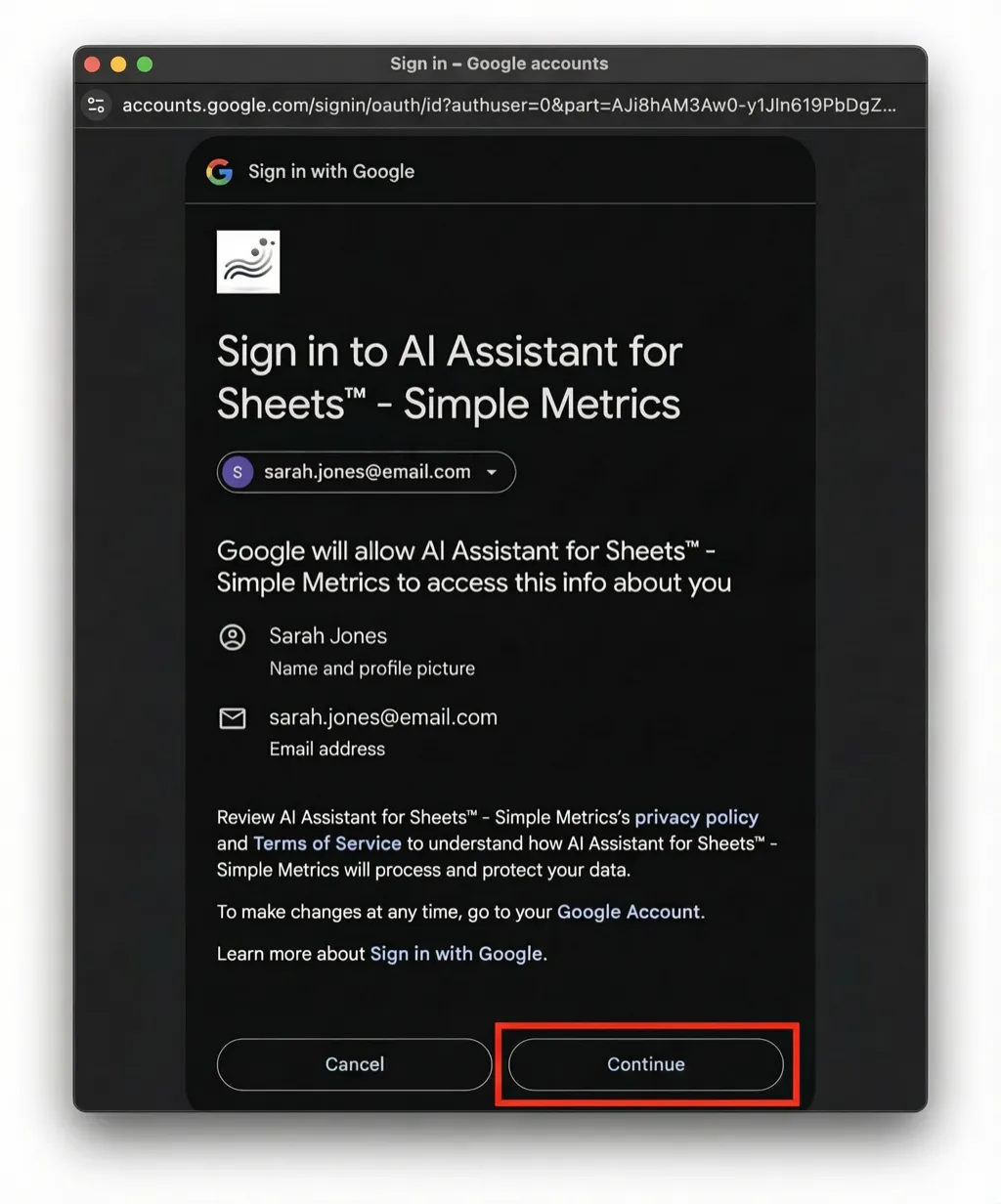
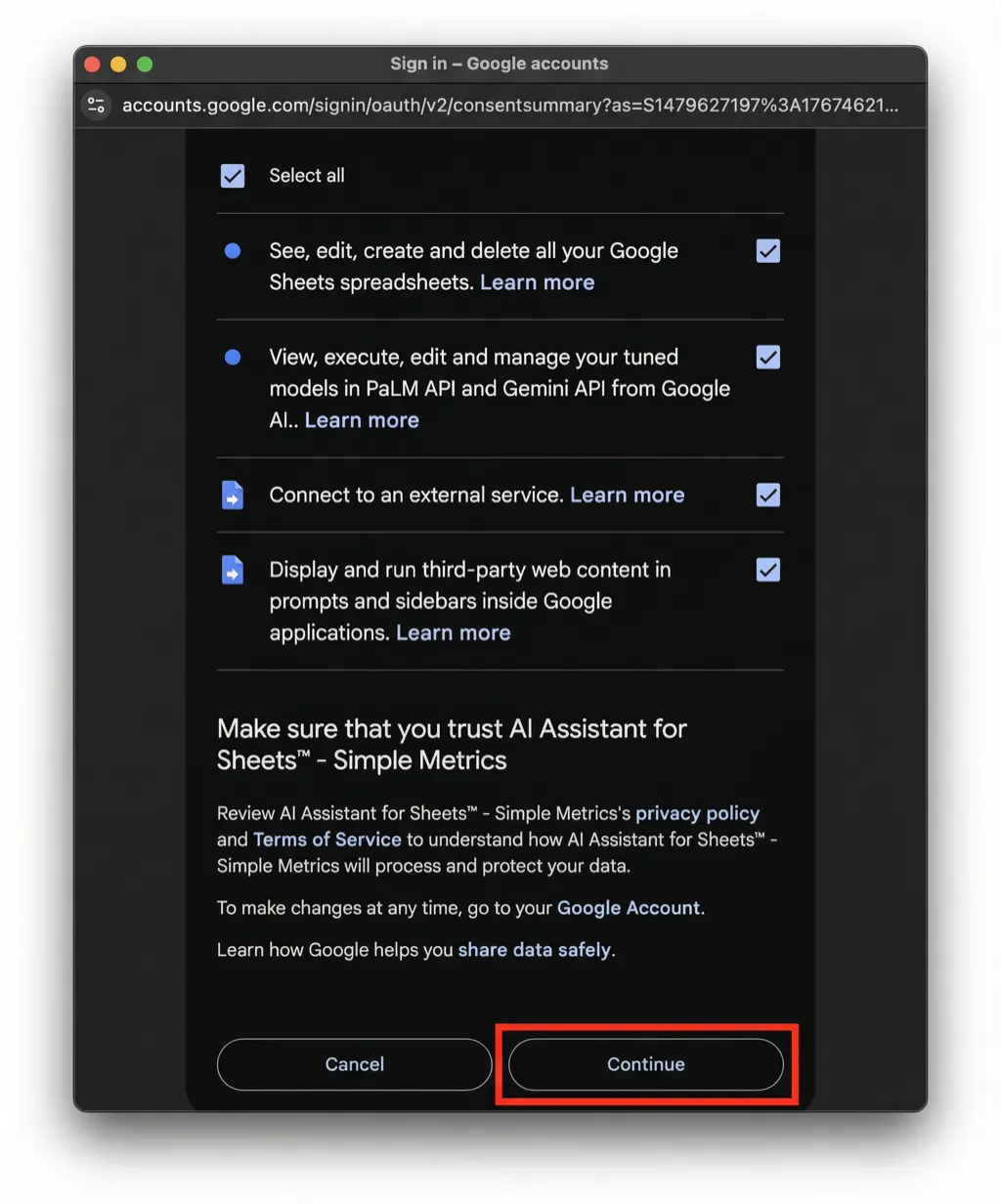
When Google asks you to confirm the sign-in, click Continue.
Step 4: Select all permissions
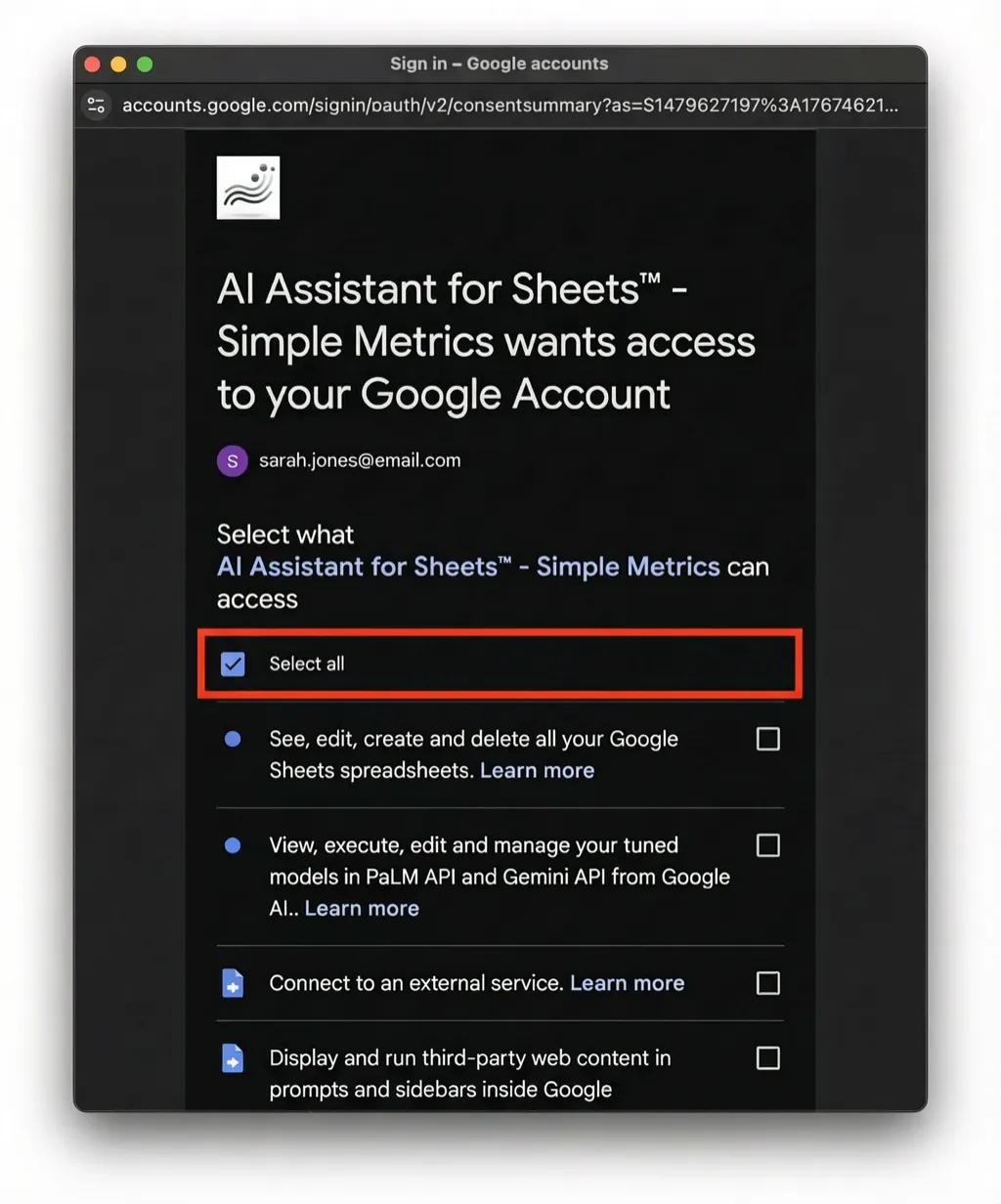
On the permissions screen, click Select all.
Step 5: Finish install
Scroll down and click Continue to complete the install.
Step 6: Open it in Google Sheets
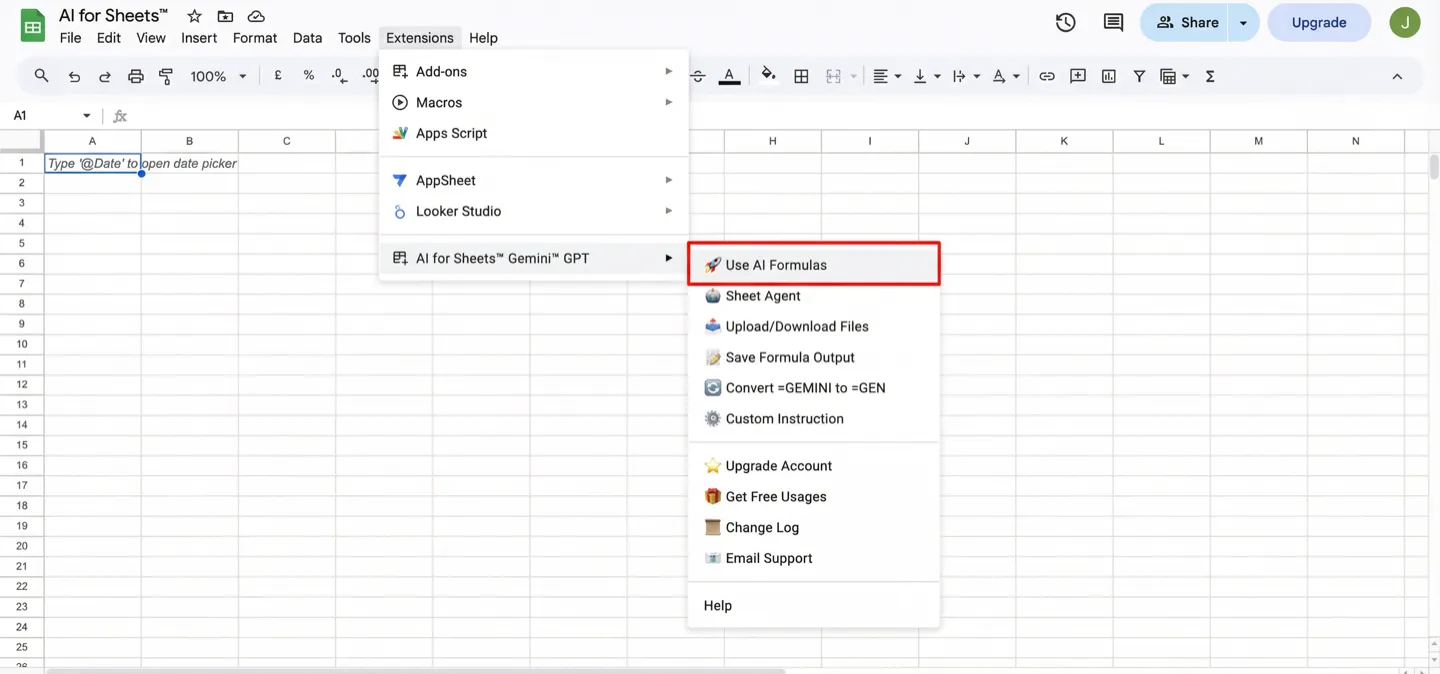
Open a Google Sheet, then go to Extensions → AI for Sheets → Use AI Formulas.
Step 7: Enter your first AI formula
Type this into a cell and press Enter:
=GEN("hi there")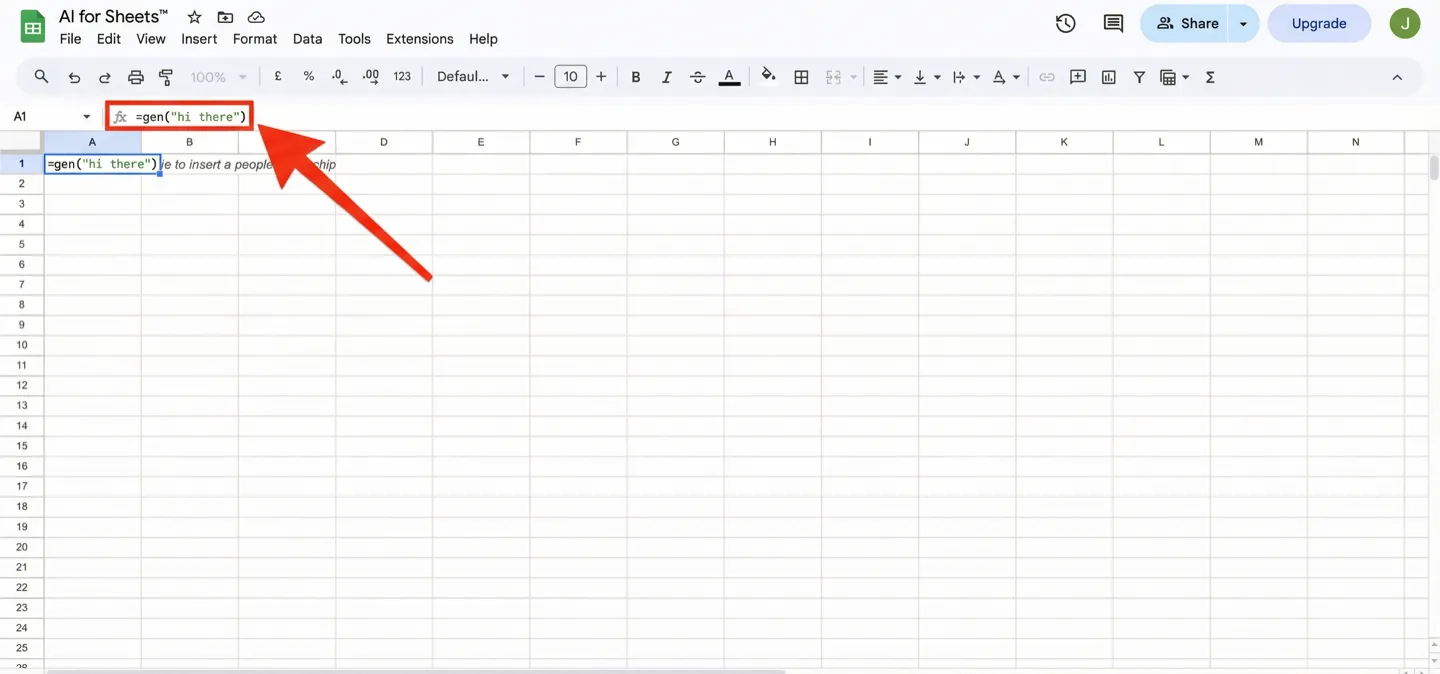
Step 8: Get a result
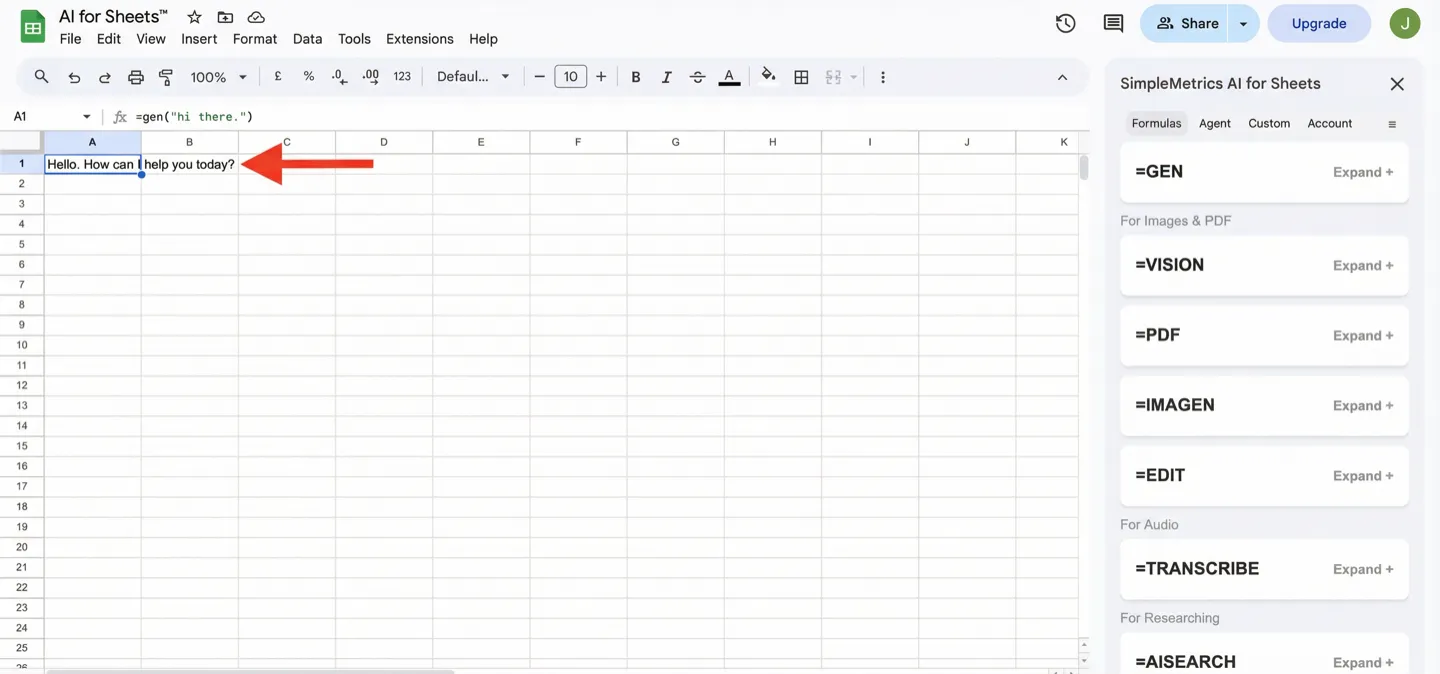
The response will appear in your cell.
Tips
- Write prompts that say exactly what you want in one sentence.
- Use fill down to run the same prompt for many rows.
- Not sure which function to use? See Formula reference.
-
For images or PDFs, use Upload/Download Files to generate URLs that work with
=VISIONand=PDF.