
You can generate a free API key for Google Gemini through Google AI Studio in just a few clicks. Here’s a quick guide.
Steps to create a free API key for Gemini AI
1. Open Google AI Studio
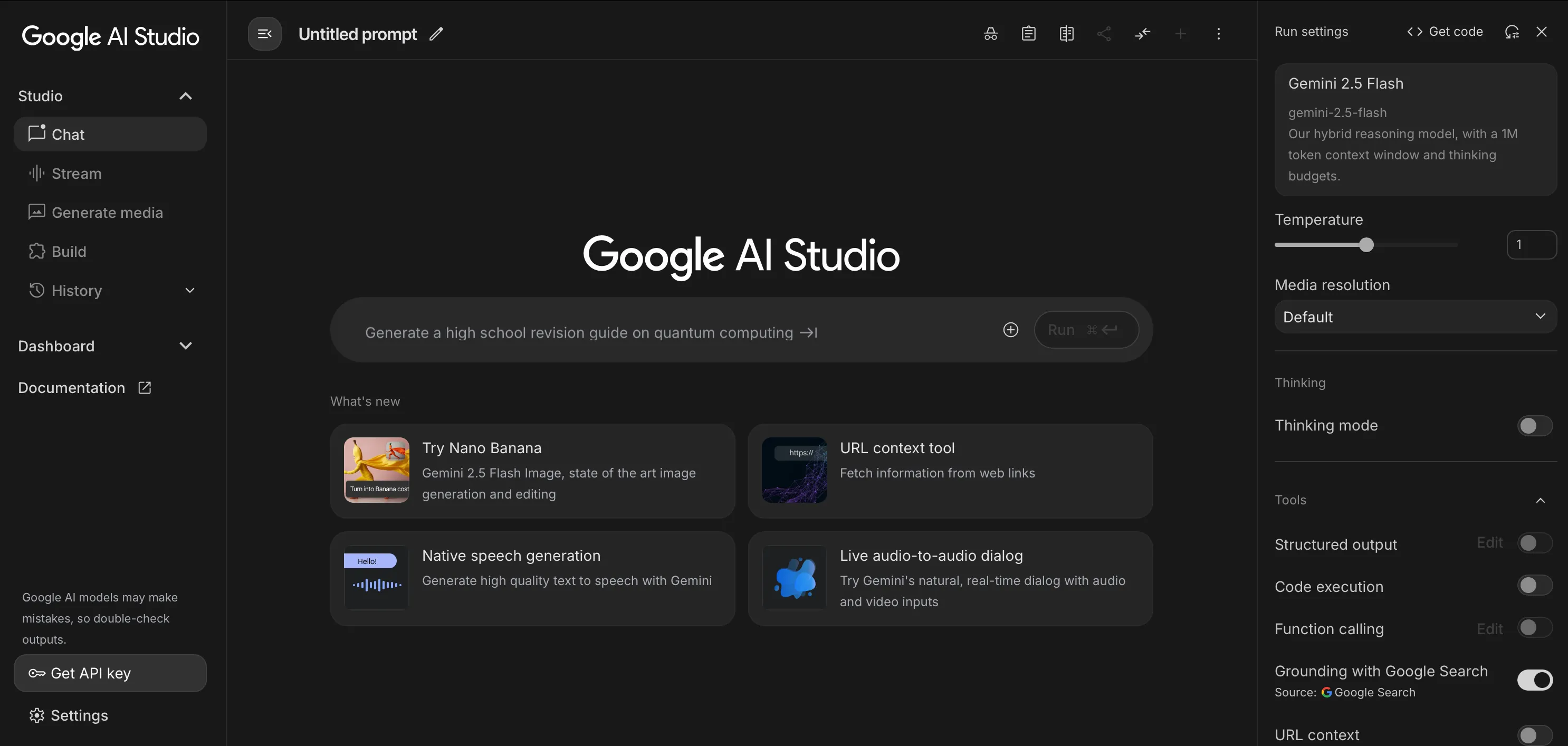
Go to Google AI Studio and sign in with your Google account. In the top navigation, click Get API key.
2. Create API Key
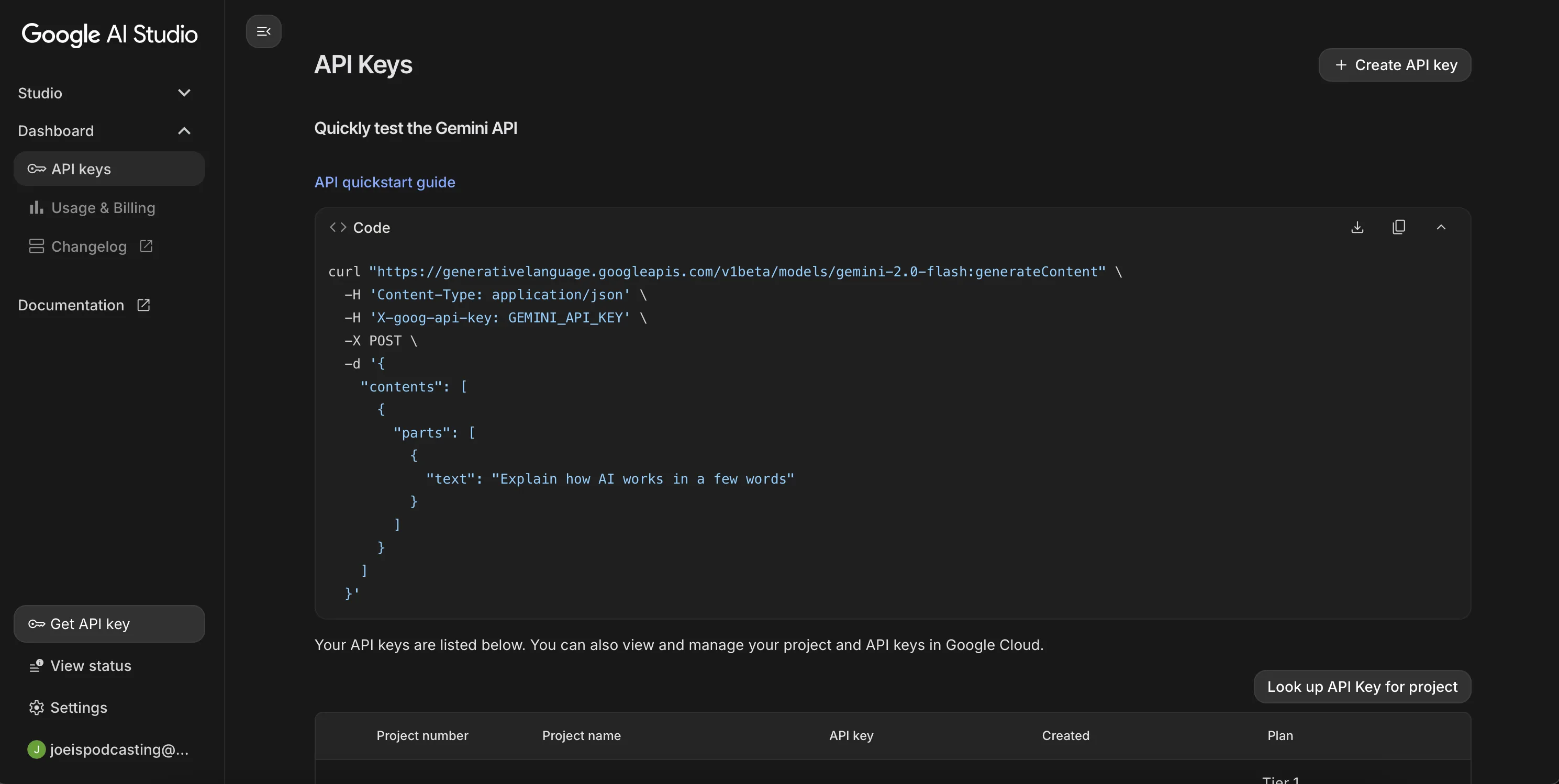
In the API keys section, click Create API key.
3. Choose or Create a Project
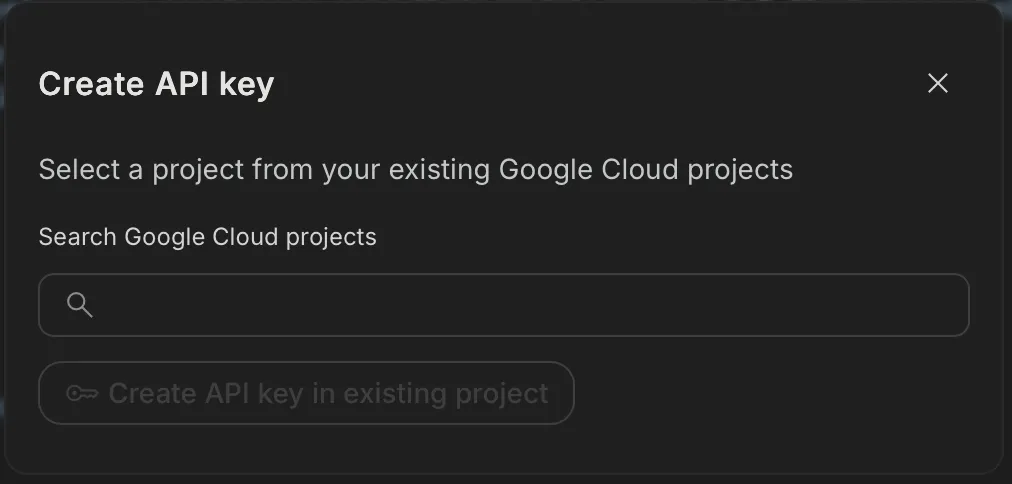
Select an existing Google Cloud project, or choose New project to create one on the spot. Then confirm to generate the key.
4. Copy Your API Key
After the key is created, click Copy next to the key and store it somewhere secure. You’ll use this key in your application or tool configuration.
Additional tips
Key tips for using your Gemini API key safely
- Keep it secret: Never share your API key publicly or embed it client-side without protection.
- Revoke if needed: Revoke and re-create the key if you believe it has been exposed.
- Usage & limits: Be mindful of rate limits and regional availability; some features may require billing to be enabled.
If the key does not work
- Project mismatch: confirm your key and app both use the same Google Cloud project.
- Wrong signed-in account: sign out of extra Google accounts and retry with one account only.
- Revoked key: create a new key and replace the old one everywhere.
- Policy/quota limits: check project quota and availability settings.
Quick safety checklist before you use the key
- Restrict key usage where possible (API restrictions + app-side handling).
- Store in server-side config instead of exposing in client code.
- Rotate periodically if multiple teammates can access project settings.
- Track usage spikes so leaked keys are detected early.
FAQ
How long does it take to create a Gemini API key?
Usually under 5 minutes if your Google account and project permissions are ready.
Do I need a credit card to start?
Many users can start with free usage, but limits and availability depend on region and current Google policy.
Can I use one key across multiple tools?
You can, but for better security and troubleshooting it is usually cleaner to use separate keys per environment.
Next steps: fix “API key not valid” errors, review common setup issues, or start with getting started.
Prefer to use Gemini in Google Sheets without managing API keys? Try our add-on: AI for Sheets.